Language
xBit can show its screens in English or Spanish. The language is one setting for the whole system: every user, the sign-in page and the emails xBit sends use it.
| Option | Language |
|---|---|
| English (United States) | English, the default |
| Español (España) | Spanish |
There is no per-user language.
Change the language
Only Admins can change it.
- Go to
Admin>About / Settings, tab General. - Choose a language in Language.
The change saves straight away and the page reloads in the new language.
- Everyone else sees the new language on their next page.
- The system log records it, for example General > Language Updated From en_US to es_ES.
- xBit rebuilds the built-in report templates and Content Library blocks in the new language, in the background. In Report Builder they show Regenerating Report... until it's done.
- A ? next to Language appears once you have your own fields, report templates or Content Library blocks. It reminds you that only xBit's built-in fields are translated.
New systems can also start in Spanish: the installer asks for a language code (en_US or es_ES).
See the Installation Guide.
Switch back from Spanish
In Spanish, the menus and setting names are Spanish too.
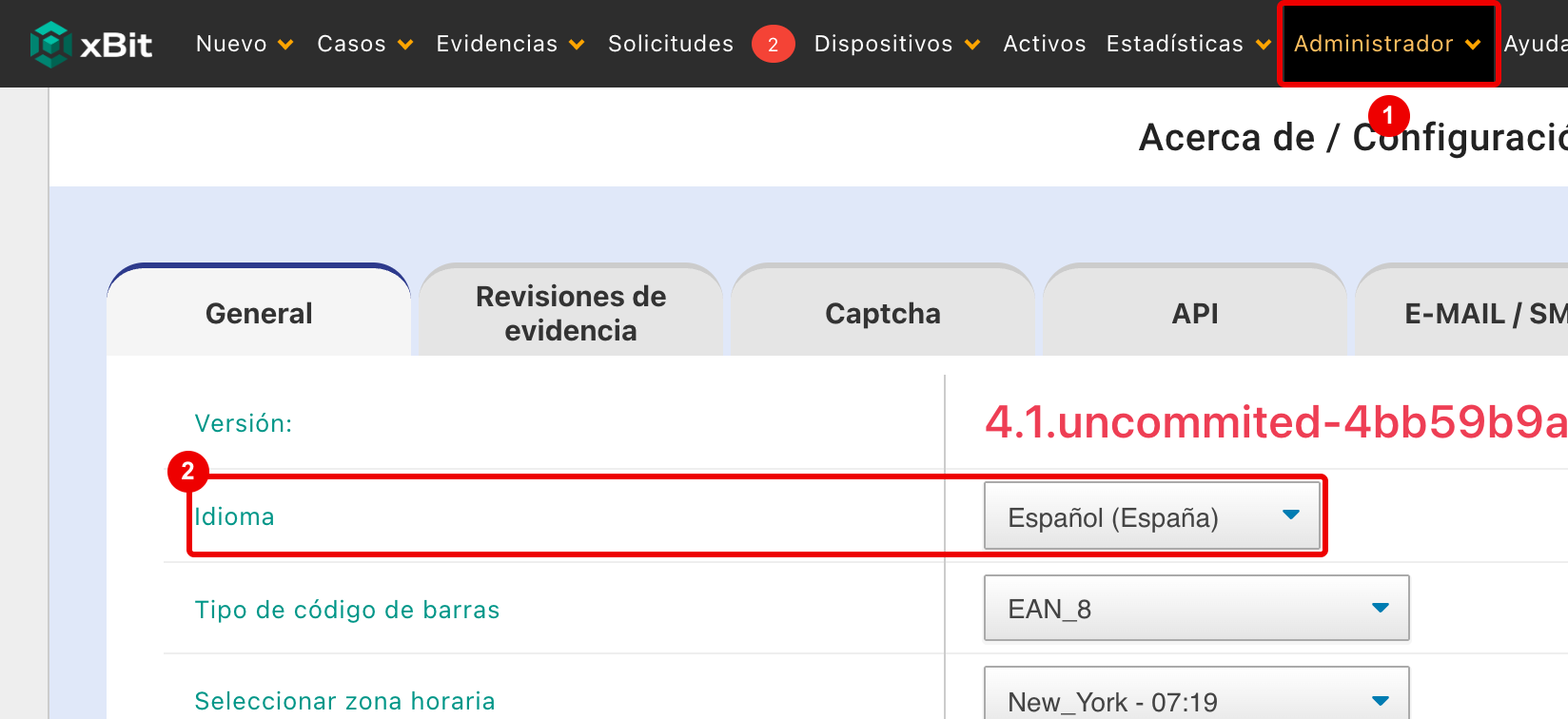
Administrador: open it and chooseAcerca de / Configuración.Idioma: choose English (United States).
What is translated
Anything xBit ships with is translated. Anything your agency typed or named stays as it was entered.
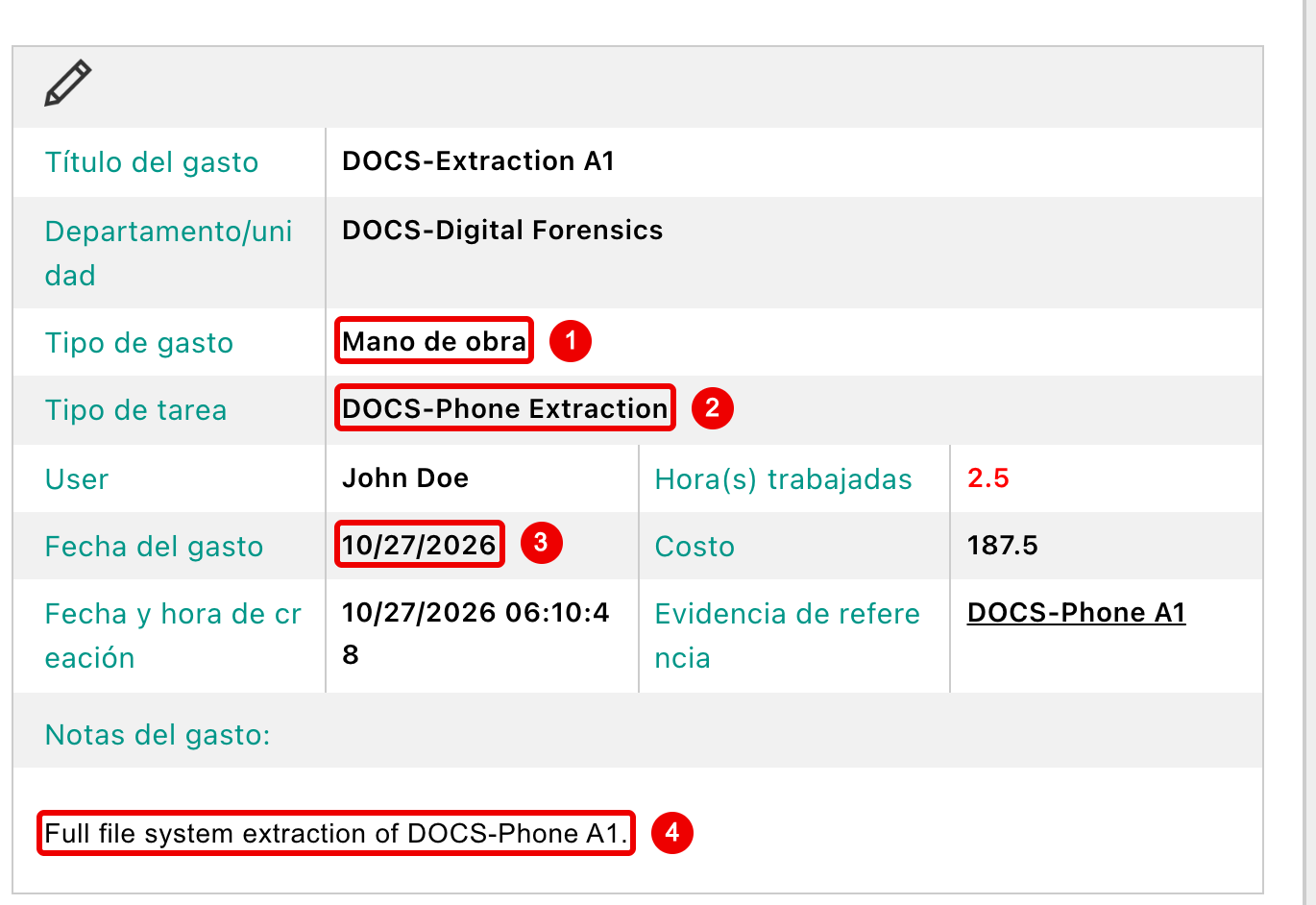
- A built-in list value: Labor shows as Mano de obra.
- A value your agency added to a list stays as entered.
- Dates keep your date format.
- Text users typed is never translated.
| Translated | Not translated |
|---|---|
| Menus, pages, buttons, messages and the sign-in page | Fields and choices you added in Form Builder, and built-in fields you renamed |
| Built-in fields, their choices and Table View column names | List values you added in List Manager |
| Built-in list values, such as case types, status types, locations and expense types | Report templates and Content Library blocks you created or edited |
| Built-in report templates and blocks, the Lab Submission Receipt, and the Memo Report | Case and evidence data, memos, notes and anything else users typed |
| Email notifications | Audit log descriptions, which stay in English |
| The date picker and the text editor toolbar | The Issues menu and its reports, which are English only |
To show your own fields in the new language, rename them in Form Builder. For your own list values, edit them in List Manager.
Dates and times
The language doesn't change how dates and times look. They follow Select Timezone, Select Date Format and Time Format in About / Settings.
The one exception is the date the Memo Report was printed, which is written out in words in the system language.
Related pages
- About / Settings: the Language setting with the other display settings.
- xBit 4.1.0 release notes: Spanish was introduced.
- xBit 4.1.1 release notes: the translation notice on Language was added.